Flicktok Ui Options
Here are some mockups for the UI design of Flicktok.
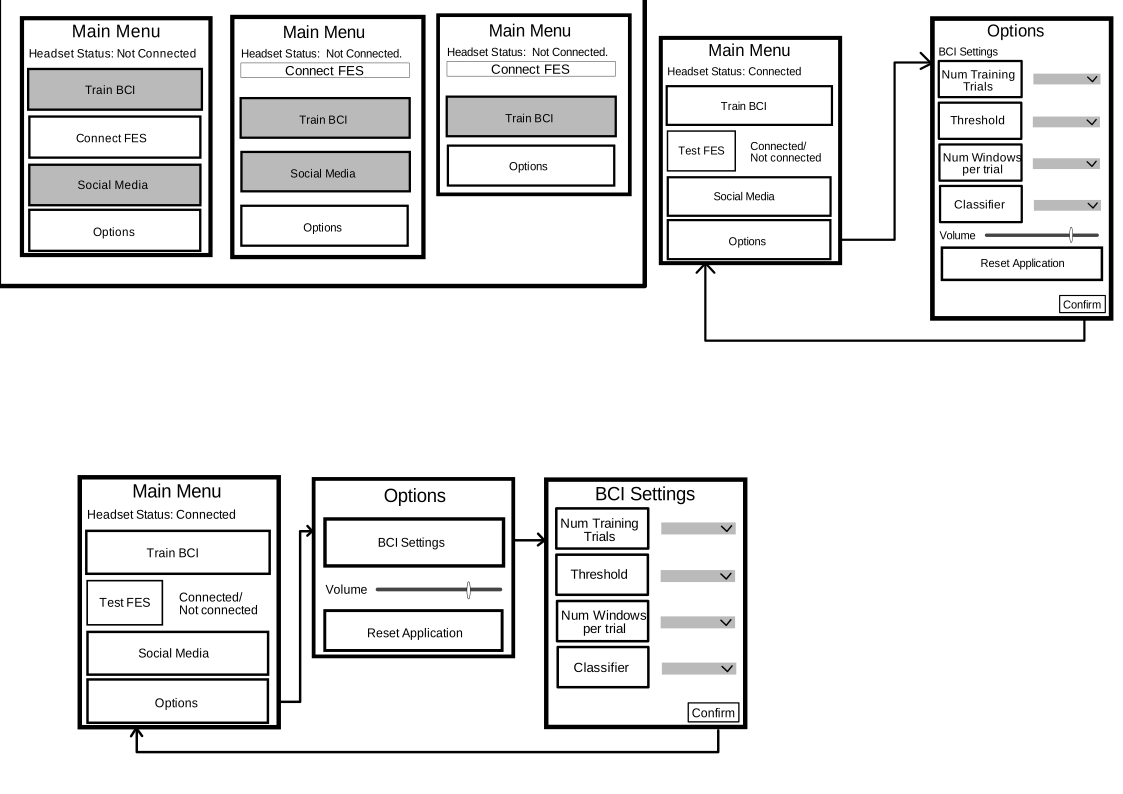
Main Menu and Options Scene
-
I think we just need a small “Connect FES” button since there will be no feedback from this.
-
Are we going to go back to the main menu after training/prediction is complete? If not, we don’t need a “Social Media” button on the main menu, the application will just navigate there after the predictions scene.
-
Do we want one options menu that has all of the BCI settings on it, or one options menu that as a button to lead to a secondary BCI settings menu?
-
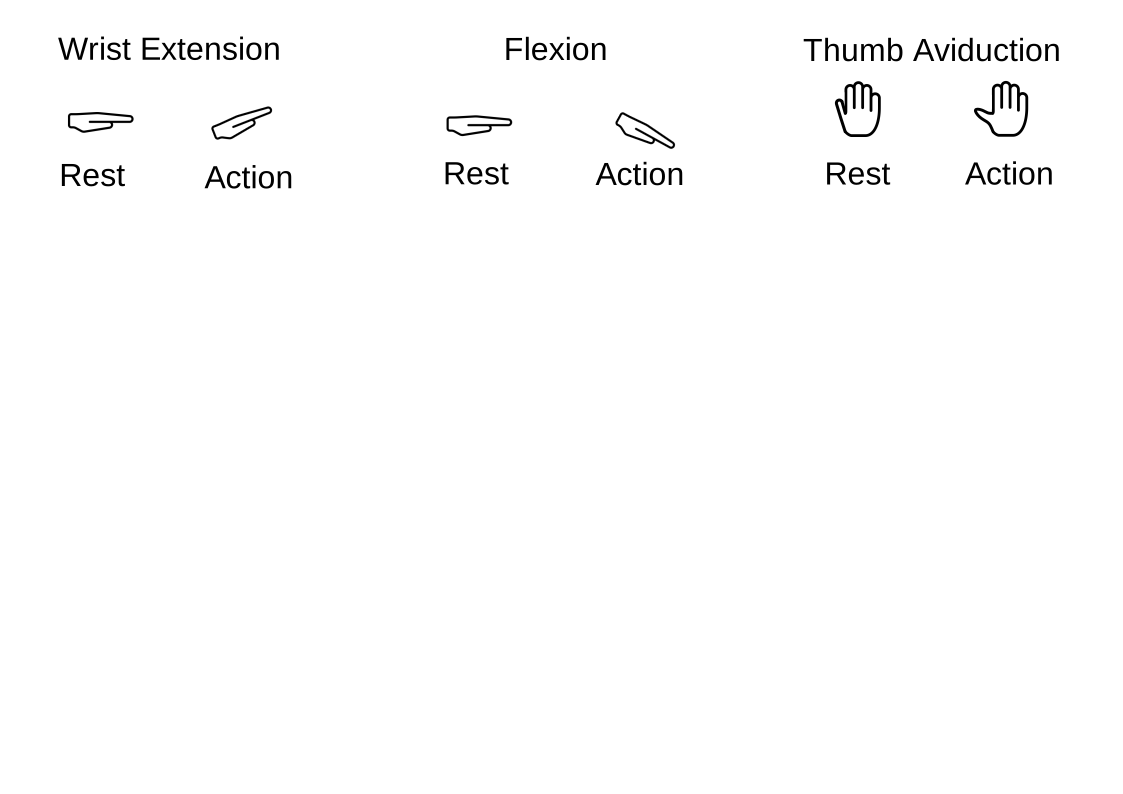
Need to add a dropdown to select which movement (and therefore which icons) to use.
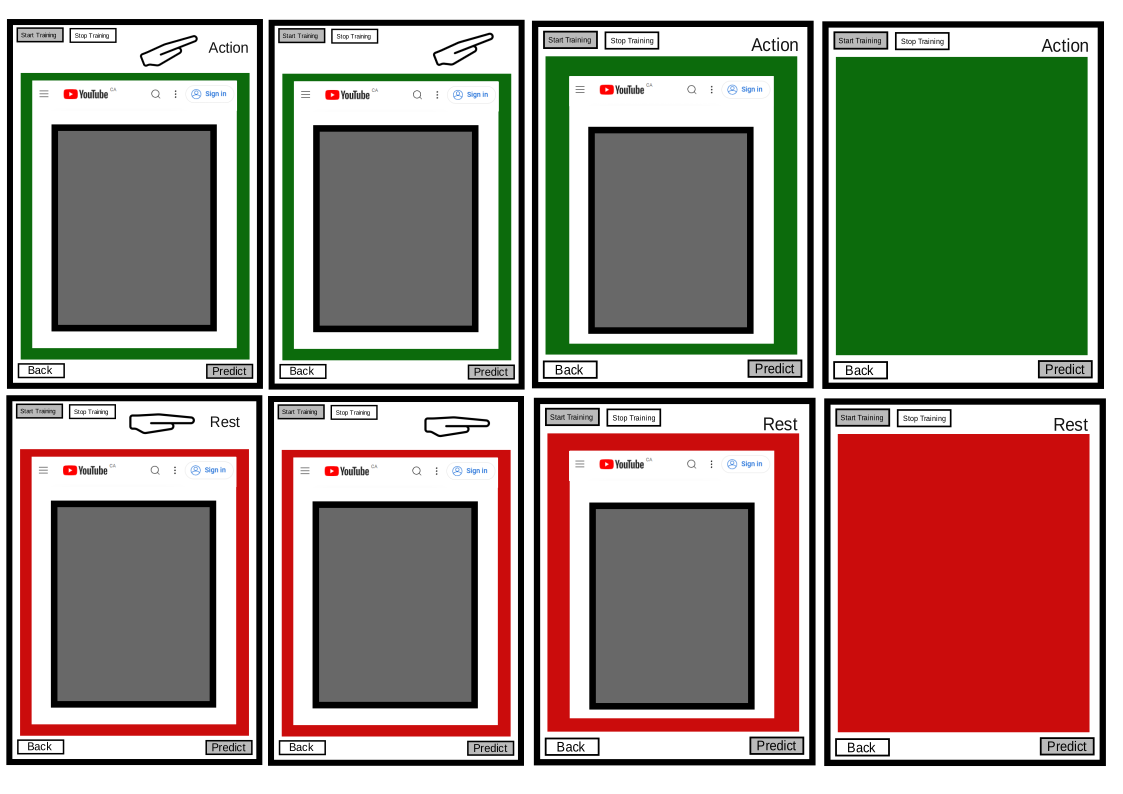
Training Scene
- Do we want to display the videos during training, or just the coloured background?
- Do we need “action/rest” text?
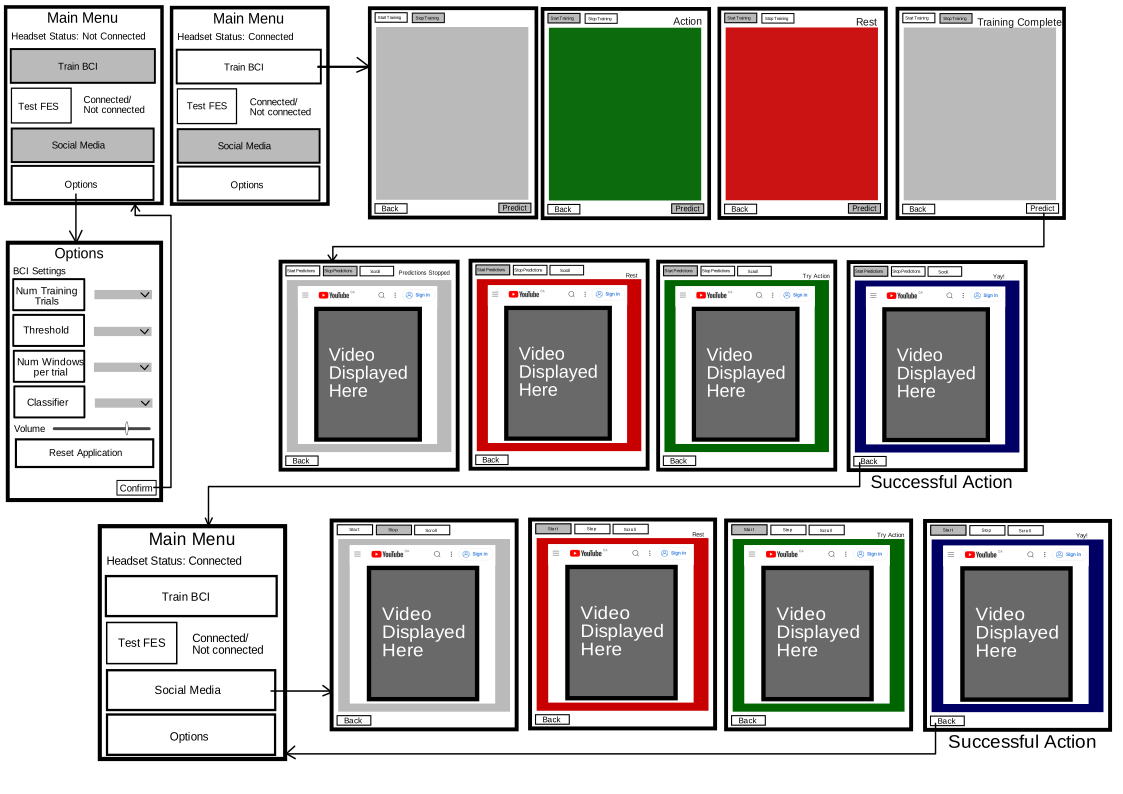
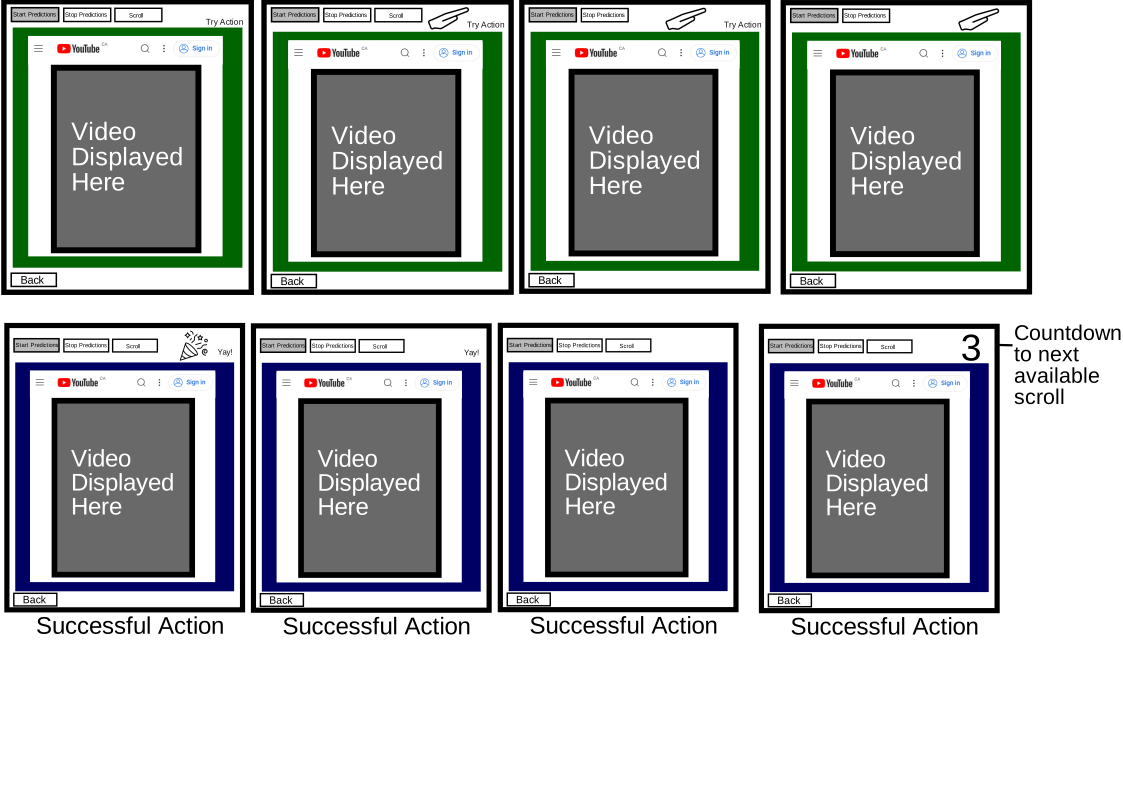
Predictions/Social Media Scene
- Do we need the button to manually scroll? Right now it functions to prove that the scroll works, but for the final application I am not sure if that is necessary.
- Do we need the “Rest/Try Action/Yay!” text output on the top of the screen?
- When an action is successfully registered and the page is scrolled, should we display a countdown to the next time where scrolling will be available- or should the background just change back to green when it is time?
- Celebration icon?
Icons