Markers Naming Conventions
LSL Markers & Naming Convention
Naming your marker stream is incredibly important, as is what message it sends over. Things to note:
- Python at the moment will resolve the streams either by “Name” or by “Prop” (property) see documentation about this for more details.
- Default LSL Marker stream is parsed in python using:
marker_stream = resolve_byprop('type', 'LSL_Marker_Strings', timeout=timeout)
- As such, you must have the type in Unity marked as “LSL_Marker_Strings” (case sensitive)
- Python parses the data differently with some hardcoded behavior at the moment
- in bci_data.py marker data is held in self.marker_data as an np array.
- In bci_data.py it uses the variable self.marker_data to evaluate the following for eyes open/closed
while current_time < self.marker_timestamps[i]:
    current_timestamp_loc += 1
    current_time = self.eeg_timestamps[current_timestamp_loc]

# get eyes open start times
if self.marker_data[i][0] == "Start Eyes Open RS: 1":
    eyes_open_start_time.append(self.marker_timestamps[i])
    eyes_open_start_loc.append(current_timestamp_loc - 1)
    # print("received eyes open start")
    ....
This hardcoded behavior happens for lines 906-945
- We need a clearer way to delineate resting state rather than an exact == evaluation.
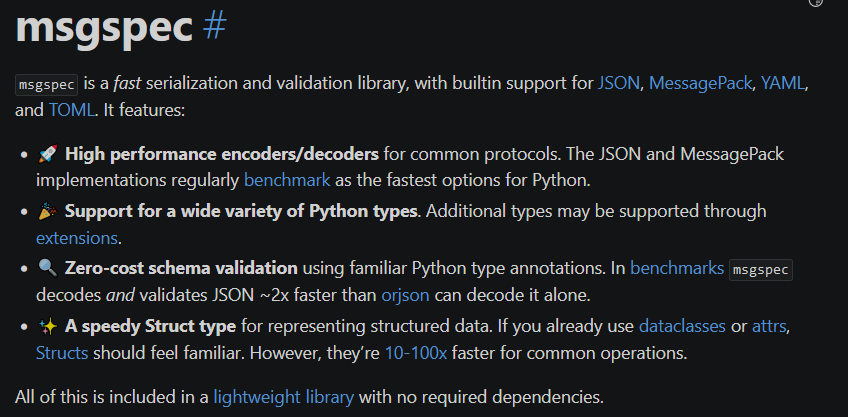
- https://jcristharif.com/msgspec/ - Msgspec looks like a good way to do fast, immediate parsing of json style messages that includes “schemas” which are fixed memory objects helping speed up any processing we do on the python side.
Unity
The ‘LSLMarkerStream.cs’ code file is what has the marker write ability in the public interface of IMarkerStream. The deprecated file of ‘LSLResponseStream.cs’ is not (seemingly) needed.
Here is the code for writing - based in LSLMarkerStream.cs
public void Write(string markerString)
{
    if (StreamOutlet != null || InitializeStream())
    {
        _sample[0] = markerString;
        StreamOutlet.push_sample(_sample);

        Debug.Log($"Sent Marker : {markerString}");
    }
    else
    {
        Debug.LogError("No stream to write to.");
    }
}
Formats for the different control paradigms have different writing calls for markers, in different places right now.
P300
This is currently actually written in the ControllerBehavior flash controller (StartStopStimulus). It’s a bit of a mess - Here are some examples -
SingleFlash
for (int i = 0; i < stimOrder.Length; i++)
{
    //
    GameObject currentObject = _selectableSPOs[stimOrder[i]]?.gameObject;

    /////
    //This block keeps taking longer and longer... maybe.... try timing it?
    string markerString = "p300,s," + _selectableSPOs.Count.ToString();

    if (trainTarget <= _selectableSPOs.Count)
    {
        markerString = markerString + "," + trainTarget.ToString();
    }
    else
    {
        markerString = markerString + "," + "-1";
    }

    markerString = markerString + "," + stimOrder[i].ToString();
Multiflash
for (int i = 0; i < totalColumnFlashes; i++)
{
    //Initialize marker string
    string markerString = "p300,m," + _selectableSPOs.Count.ToString();

    //Add training target
    if (trainTarget <= _selectableSPOs.Count)
    {
        markerString = markerString + "," + trainTarget.ToString();
    }
    else
    {
        markerString = markerString + "," + "-1";
    }

    // Turn on column
    int columnIndex = columnStimOrder[i];
    for (int n = 0; n < numRows; n++)
    {
        _selectableSPOs[rcMatrix[n, columnIndex]]?.StartStimulus();
        markerString = markerString + "," + rcMatrix[n, columnIndex];
    }

    //// Add train target to marker
    //if (trainTarget <= objectList.Count)
    //{
    //    markerString = markerString + "," + trainTarget.ToString();
    //}
Plus more. The Checkerboard has 4 (!!) separate calls to the call for Marker Write - one for each row/column (BlackRow/WhiteRow/BlackCol/WhiteCol).
SSVEP
This is actually all handled by the SendMarkers method, which includes the following default format
// Desired format is: [“ssvep”, number of options, training target (-1 if n/a), window length, frequencies]
Code -
protected override IEnumerator SendMarkers(int trainingIndex = 99)
{
    // Make the marker string, this will change based on the paradigm
    while (StimulusRunning)
    {
        // Desired format is: ["ssvep", number of options, training target (-1 if n/a), window length, frequencies]
        string freqString = "";
        for (int i = 0; i < realFreqFlash.Length; i++)
        {
            freqString = freqString + "," + realFreqFlash[i].ToString();
        }

        string trainingString;
        if (trainingIndex <= _selectableSPOs.Count)
        {
            trainingString = trainingIndex.ToString();
        }
        else
        {
            trainingString = "-1";
        }

        string markerString = "ssvep," + _selectableSPOs.Count.ToString() + "," + trainingString + "," +
                                windowLength.ToString() + freqString;

        // Send the marker
        marker.Write(markerString);

        // Wait the window length + the inter-window interval
        yield return new WaitForSecondsRealtime(windowLength + interWindowInterval);
    }
}
NOTE: There seems to be no Marker.Write calls (or anything close to it) for training on SSVEP. Our current set-up does not seemingly support training-based SSVEP solutions - only training free SSVEP solutions which is interesting.
Motor Imagery (MI)
It seems that this is a mixture - there is both the SendMarkers method handling the bulk of the sending with the following desired format:
// Desired format is: [mi, number of options, training label (or -1 if n/a), window length]
and Marker.Write calls which happen during training.
protected override IEnumerator SendMarkers(int trainingIndex = 99)
{
    // Make the marker string, this will change based on the paradigm
    while (StimulusRunning)
    {
        // Desired format is: [mi, number of options, training label (or -1 if n/a), window length]
        string trainingString = trainingIndex <= _selectableSPOs.Count ? trainingIndex.ToString() : "-1";

        // Send the marker
        marker.Write($"mi, {_selectableSPOs.Count}, {trainingString}, {windowLength}");

        // Wait the window length + the inter-window interval
        yield return new WaitForSecondsRealtime(windowLength + interWindowInterval);
    }
}